
Download Water Intake Tracker – hydration tracker, water intake app, daily water goals, water reminder, health tracker
Overview
Water Intake Tracker is a mobile application designed to support users in maintaining optimal hydration levels through daily tracking and goal setting. The app is tailored for Android users seeking a straightforward solution to monitor their water consumption. Its core purpose is to help individuals develop consistent hydration habits by simplifying the process of logging intake. By enabling users to record water consumption with a single tap, the app reduces friction in daily health management. It is particularly suited for consumers focused on wellness, fitness enthusiasts, and anyone aiming to improve their daily routines through small, sustainable changes.
The developer, Tutorials for Beginners, has positioned the app as a free lifestyle tool with a focus on usability and accessibility. While specific details about the developer’s background are limited, the app’s design reflects a minimalist, user-centered approach. Real-world usage scenarios include tracking hydration during work hours, managing intake during workouts, or establishing morning and evening routines. The app aims to foster long-term health habits by combining goal setting with visual feedback. It does not appear to include advanced analytics or integration with wearable devices, suggesting a focus on simplicity over complexity.
Key Features & Capabilities
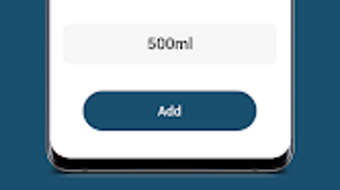
- Simple Tap-to-Log System: Users can record water intake with a single tap, minimizing the effort required to maintain consistent tracking.
- Customizable Daily Goals: The app allows users to set personalized hydration targets based on individual preferences or needs.
- Visual Progress Charts: Interactive charts display hydration progress throughout the day, helping users visualize milestones and stay motivated.
- Water Reminder Functionality: Built-in reminders prompt users to drink water at scheduled intervals, supporting habit formation.
- Intuitive Interface: The app’s layout is designed for ease of navigation, enabling quick access to key features without confusion.
These features are intended to support users in building sustainable hydration habits. For example, setting a custom daily goal allows individuals to align their intake with their body’s needs, while visual progress charts provide immediate feedback. The reminder system helps users maintain consistency, especially during busy schedules. The simplicity of the interface ensures that users of all technical skill levels can use the app effectively. While advanced features such as syncing with health platforms or tracking other beverages are not mentioned, the app focuses on core functionality to reduce user fatigue and enhance engagement.
User Interface, Workflow & Performance
The user interface of Water Intake Tracker follows a clean, minimalist design with a focus on clarity and ease of interaction. Navigation is structured around a central dashboard that displays the current day’s progress, goal status, and reminder settings. The primary action—logging water—is accessible through a prominent button, reducing the number of steps required to update intake. This streamlined workflow supports quick, habitual use throughout the day.
Based on general software behavior patterns, the app appears to operate efficiently within the Android ecosystem. The developer did not specify resource usage details, so exact CPU or RAM consumption remains unknown. However, the app’s file size of 12.5 MB suggests a lightweight footprint, which typically correlates with low system impact.
Performance observations are based on general software behavior patterns, indicating smooth operation under normal conditions. Stability is expected to be consistent, as the app focuses on a single, well-defined function without complex background processes. No external dependencies or data synchronization are mentioned, which may contribute to reliable performance on a variety of Android devices.
Compatibility & System Requirements
Water Intake Tracker is designed for Android operating systems. The app’s version is listed as 1.0.1, indicating a recent release. It has a file size of 12.5 MB, which is relatively small for a mobile application, suggesting minimal storage demands. The developer did not provide additional system requirements, so exact compatibility details such as minimum Android version or hardware specifications are not available.
Platform compatibility information is limited to Android, and no details were provided about support for tablets, wearables, or other devices. The app is distributed as a standalone package, and installation is expected to be straightforward via the Google Play Store or other Android app distribution channels. The developer did not specify whether the app supports offline functionality or requires an internet connection for core features. Users should verify compatibility with their device’s Android version before installation.
Pros and Cons
Pros
- Free to download and use, making it accessible to a wide audience.
- Simple, intuitive interface designed for effortless navigation.
- Single-tap logging reduces friction in daily tracking.
- Customizable daily goals support personalized hydration plans.
- Visual progress charts help users stay motivated and engaged.
Cons
- Exact system requirements were not listed, which may affect compatibility verification.
- Performance details such as CPU or RAM usage were not provided.
- Limited to Android platform, with no information on cross-device availability.
- Advanced features like integration with health apps or tracking other beverages are not mentioned.
- Developer background and support channels are not publicly detailed.
FAQ Section
Is Water Intake Tracker available for iOS devices?
The app is currently designed for Android users. There is no information available about iOS compatibility or future plans for cross-platform release.
Does the app require an internet connection to function?
It is unclear whether the app requires an internet connection for core functionality. The developer did not specify this detail.
Can I set different water goals for different days?
The app allows for customizable daily targets, which may support different goals on different days. Specific functionality for day-specific settings was not detailed.
Is the app secure and private?
There is no publicly available information about data handling, privacy policies, or security measures used by the app.
How often does the app update?
The app’s current version is 1.0.1, released on March 5, 2024. The developer has not disclosed a regular update schedule or release cadence.
Final Thoughts
Water Intake Tracker offers a focused, no-frills approach to hydration management, ideal for users who value simplicity and ease of use. Its tap-to-log interface, customizable goals, and visual progress tracking make it a practical tool for building consistent hydration habits. While it lacks advanced features and detailed system information, its lightweight design and free availability enhance its appeal.
The app is best suited for Android users seeking a straightforward way to monitor daily water intake without complexity. For individuals committed to improving their health through small daily actions, Water Intake Tracker provides a reliable and accessible solution. Download Water Intake Tracker now.







